Eagle_Eye
|
|
Setting Player Waypoints DFX Med
Start a new map..select a terrain..
I switch the the "H" height view to see the lay of the land..
Place a Player Start Marker, and select Single Player in the general information window

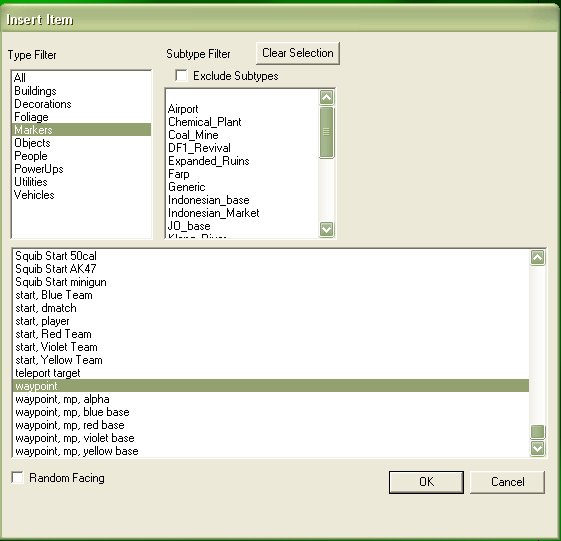
Using the insert mode..place some waypoints..I placed 5 along this small valley..
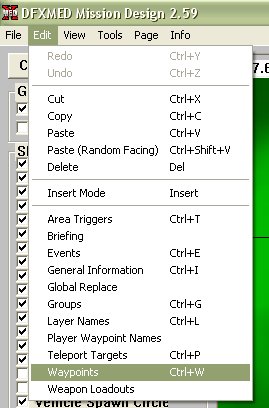
Now, from the pulldown menu, select edit waypoints..we will setup the waypoint values here..
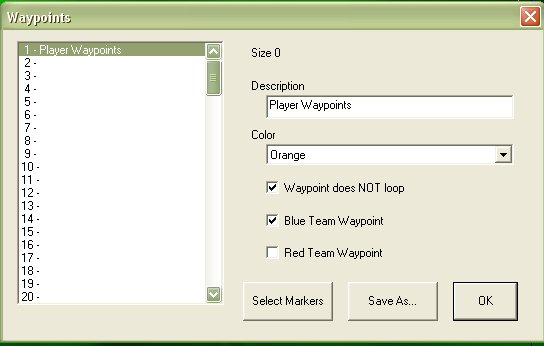
I named mine "Player Waypoints, ticked "Waypoint does NOT loop", and ticked "Blue Team Waypoint"
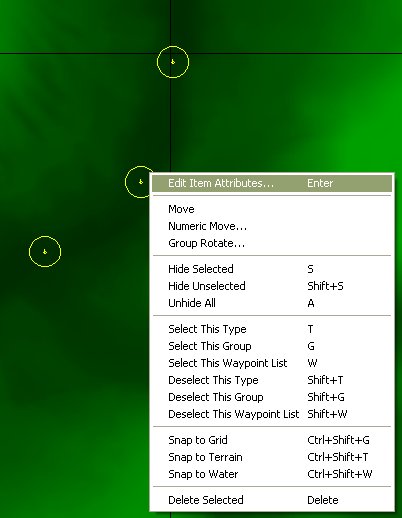
Next, select ALL of the waypoints you want to use as the Player Waypoints..then right click, and select "Edit Item Attributes"..
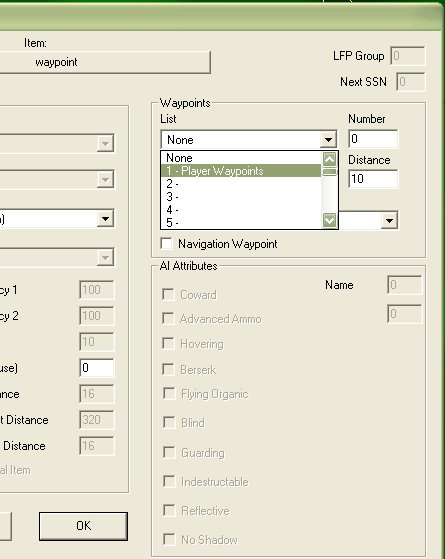
From the pull down list, select the "Player Waypoints" that we set up in the step above. Click OK..
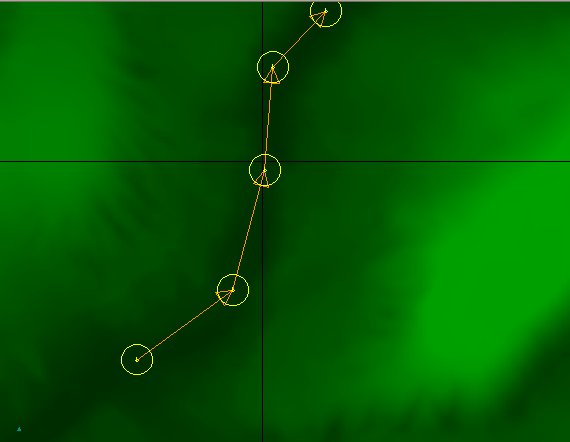
Your waypoints should now display linked..with directional arrows, in the colour you setup..
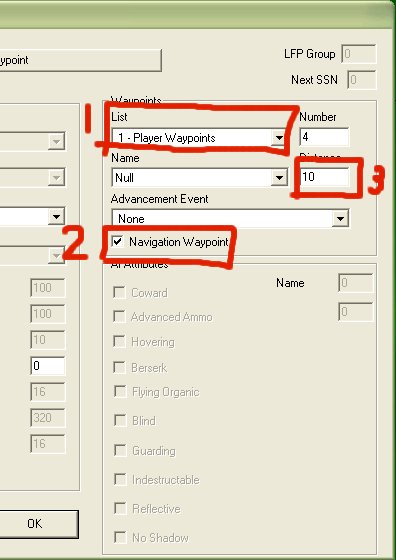
Now..I have found in you use waypoint list 1 as the player waypoint, you don't need to setup the waypoints as "Navigation Waypoint" see point 2
below..you can tick it anyway..it won't hurt..if you use a waypoint list other than set 1, then you will need to tick this..
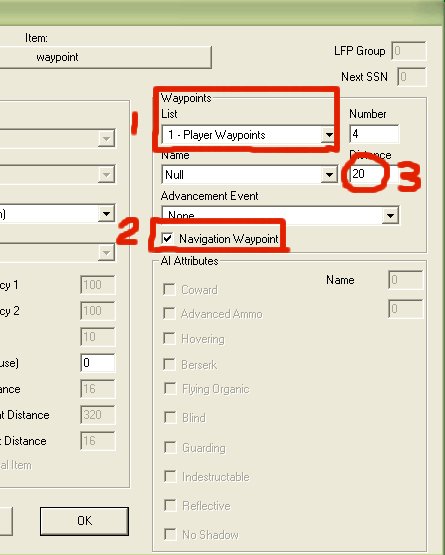
By changing the waypoint distance from the default of 10..(point number 3), it will be easier for the player to trigger the next waypoint to show up..
Done..
EE

|
|
|
cmurphe
Captain

Posts: 254
Registered: 6-6-2007
Location: Missouri
Member Is Offline
Mood: Ask Me
|
|
i did everything the same exact way that you did but it didnt work.........Whjay is that????

When all else fails, stupidity rules. |
|
|
Eagle_Eye
|
|
This worked until they updated DFX a year or so ago..
You have to use the same method, plus now there's more..
See the demo map in the download section..it's the second one down the list..
http://www.dfbarracks.com/downloads/index.php?action=dc&cid=...
EE
|
|
|
cmurphe
Captain
Posts: 254
Registered: 6-6-2007
Location: Missouri
Member Is Offline
Mood: Ask Me
|
|
It worked! Thanks EE 
When all else fails, stupidity rules. |
|
|
YALNIZKURT
Private
Posts: 57
Registered: 9-6-2006
Location: Turkey
Member Is Offline
Mood:  LOVER
|
|
woooww :D thanks eagle_eye
I live in Turkey but She live in USA. A Very big Ocean. But I still love her. Help me God! Forget her YALNIZKURT, forget
HEY GIDI KANUNI SULTAN SULEYMAN

DfBarracks.com
shoot, shoot but listen me
|
|
|











![[*]](images/aventure/default_icon.gif)